You help choose
the channels.
Approve or block channels in the parent space. Your teen selects from that list and can request something new for you to review.
 Upspark
FOR THEIR INTERESTS. FOR THEIR NEXT STEP.
Meet Upspark: the short-video experience that pairs channels you approve with bite-sized practice for your teen.
Explore the working prototype · Designed with teens around 14+ in mind

Turn what you love into what you know.
A DIFFERENT STARTING POINT
You don’t have to choose between what your teen enjoys and making space for practice. Upspark brings both into one place—with you involved in the choices.
Approve or block channels in the parent space. Your teen selects from that list and can request something new for you to review.
Short Math and Language challenges introduce a change of pace. Hints, a retry, and explanations help students work through an answer.
Look at completed questions, first-try answers, and topics that needed another attempt. Use the results to decide what to talk through next.
WATCH. THINK. TRY.
Start with curiosity. Add a little practice. Keep the conversation going.
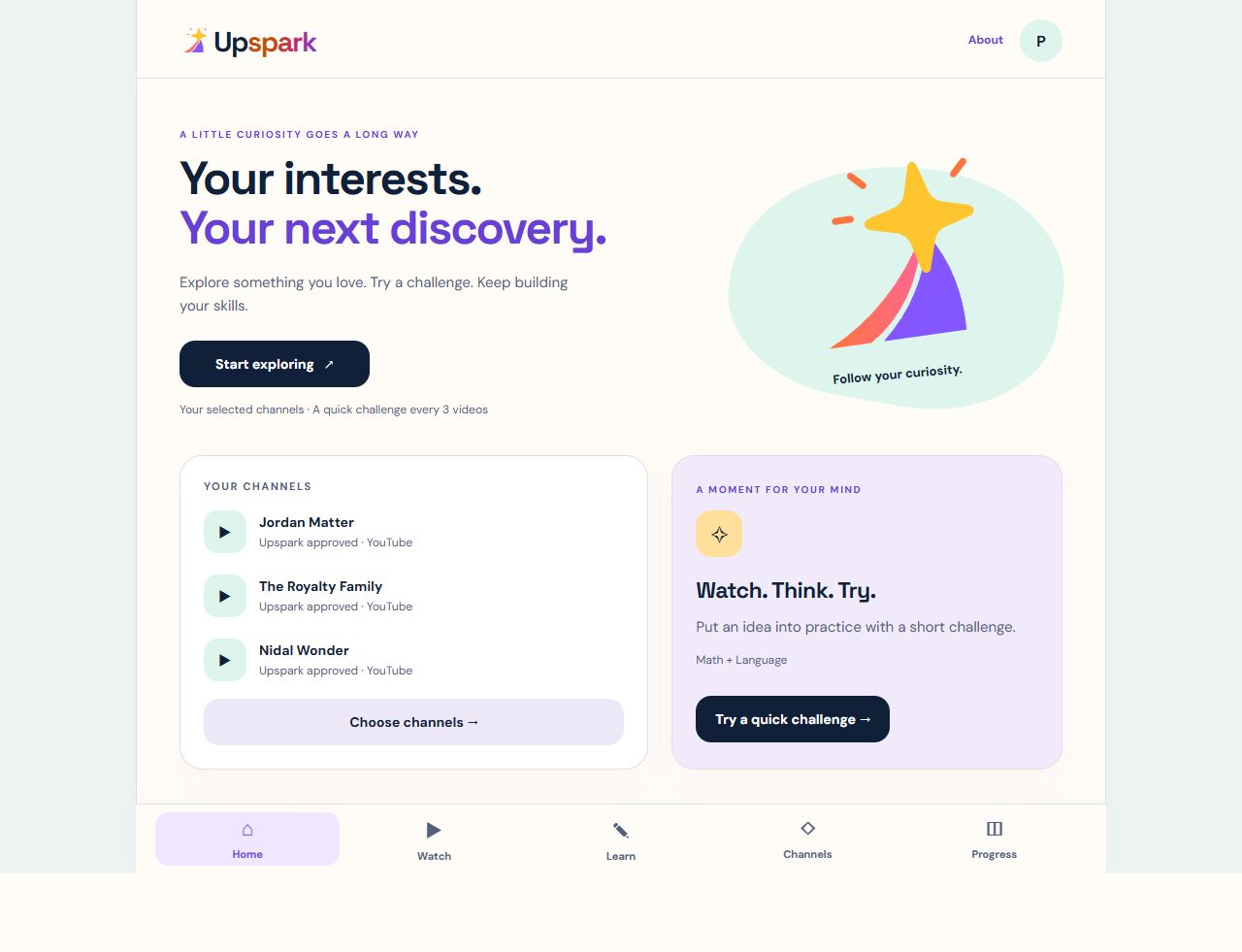
Review the available channels before your teen starts exploring.
Watch short videos and try a brief academic challenge. Practice is also available directly in Learn.
Review answers and explanations together. Return to practice when it fits your routine.
In this prototype, academic questions are separate from the videos—not generated from each clip. Watching alone is not evidence of learning.
BUILT FOR A FAMILY CONVERSATION
A more useful question than just “How long were you watching?”
Upspark separates viewing time from practice results. A correct answer after a retry is shown as exactly that. Progress is a starting point for support, not a promise of mastery.
Explore the parent space in the appParent space uses demo PIN 2468. This is a prototype control, not secure parental authentication.
CLEAR EXPECTATIONS
Upspark offers an app experience built around selected, approved channels and practice. It does not replace device-level parental controls.
Explore with your teen first and decide whether the current prototype fits your family.
FOR TEACHERS & SCHOOL LEADERS
An idea worth exploring beyond the classroom.
Upspark is designed to put short academic practice inside an experience teens already recognize. Teachers can review the starter questions, try the explanations, and consider where an interest-led routine might complement practice at home.
Review the learning prototypeQuestions ask students to recall or apply ideas. Explanations create opportunities to discuss reasoning and mistakes.
Channel choices and recorded practice give families concrete starting points for a conversation about learning.
Assess content, accessibility, privacy, and fit with school policy. No school adoption, standards alignment, or proven academic impact is claimed.
WHY UPSPARK
We believe a teen’s interests can be a starting point for a more purposeful learning routine.
Upspark brings short videos and practice together without trying to make every moment feel like a lesson. The goal is more opportunities to think, try, and understand—not guaranteed grades.
Our next chapter is a model for paid creator partnerships and authorized content, alongside stronger family controls. That is the direction we’re working toward, not a feature available today.
GOOD QUESTIONS
Upspark’s feed uses approved channels that your teen selects, with a request-and-review process for new channels. It adds Math and Language practice and records practice results. It still uses YouTube’s embedded player, whose links can leave the app; it is not a guarantee of restricted browsing.
The current prototype includes Math and Language starter questions. Parents can add their own questions. Practice is separate from the video content; more subjects and content-linked exercises are not available yet.
Parents can approve or block channels, review requests, adjust the practice routine, add questions, and see results on this device. The visible demo PIN is not secure authentication or a substitute for supervision.
You can open the prototype without creating an Upspark account or buying a subscription. Paid plans and secure family sign-in have not launched. No payment is collected by this website.
The prototype saves progress and channel choices in your browser. It has no cross-device account sync. YouTube handles embedded playback under its own policies. This marketing site has no sign-up form or added analytics tracker.
Not yet. Educators are welcome to evaluate the prototype, but school deployment would require further privacy, security, accessibility, and educational review. Upspark does not claim school endorsement or demonstrated learning outcomes.
Yes. Open upspark.app in your phone’s browser. It is a web app, not an App Store or Google Play download. Video playback requires an internet connection.
START WITH ONE SHARED MOMENT
Choose a channel. Try a challenge.
See where the conversation goes.
Working prototype · No Upspark account required